
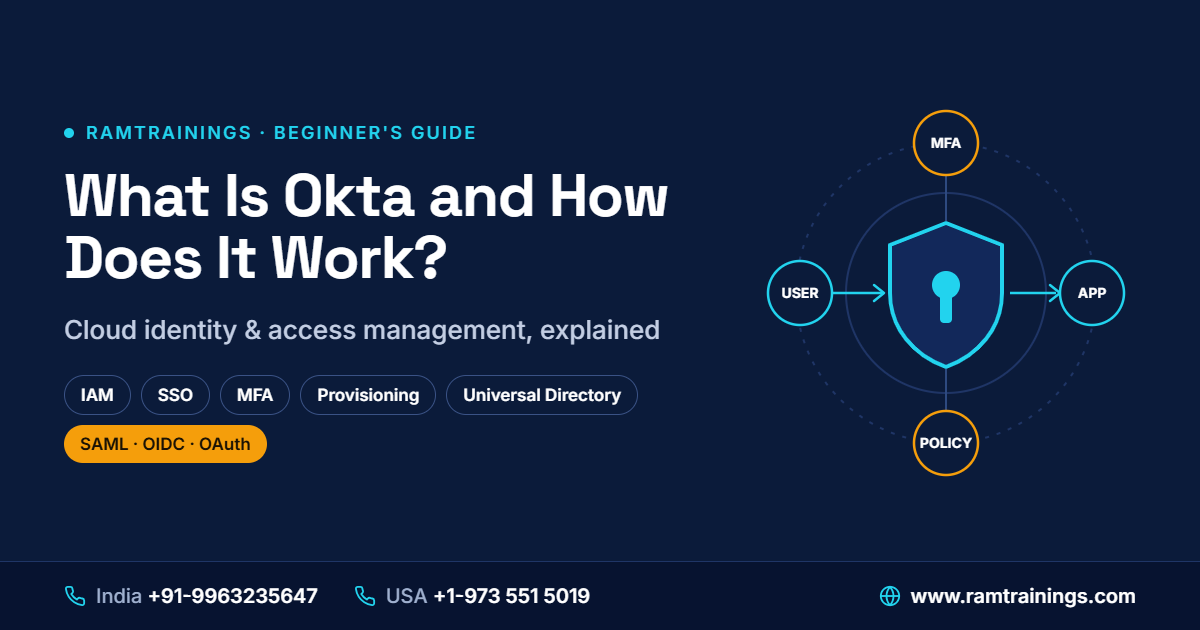
Okta is a cloud-based identity and access management (IAM) platform that helps organizations manage who can access their applications, systems, and digital resources. It enables secure sign-in through features such as Single Sign-On (SSO), Multi-Factor Authentication (MFA), user provisioning, and access policies. Instead of managing separate login processes for every application, organizations can use Okta to centralize identity management and improve security.
For beginners interested in identity and access management, understanding Okta is a useful starting point for learning how modern organizations protect user accounts and manage application access.
What Is Okta Used For?
Okta is primarily used to manage digital identities and control access to business applications. Organizations often use multiple cloud platforms, internal systems, and productivity tools. Managing individual accounts across these applications can become complicated without a centralized identity solution.
Okta helps simplify this process by connecting users to the applications they need while applying security rules defined by the organization.
Common uses of Okta include:
- Single Sign-On (SSO): Allows users to access multiple supported applications after signing in through a central identity provider.
- Multi-Factor Authentication (MFA): Adds an additional verification step to help protect accounts.
- User Provisioning: Helps create and manage user accounts in connected applications.
- User Deprovisioning: Helps remove or disable access when employees leave or no longer require an application.
- Access Management: Applies policies that determine how users authenticate and access resources.
- Identity Lifecycle Management: Supports identity-related processes throughout a user's time with an organization.
For example, a company may use Okta to manage employee access to Salesforce, Microsoft 365, and other business applications through a centralized identity system.
How Does Okta Work?
Okta works as an identity provider (IdP) that verifies users and helps connected applications establish whether a user has successfully authenticated. Depending on the application and configuration, Okta uses standards such as SAML, OpenID Connect (OIDC), and OAuth 2.0 to support authentication and authorization workflows.
Here is a simplified explanation of how the process works:
Step 1: The User Attempts to Sign In
An employee opens a business application, such as Salesforce, or visits their organization's Okta sign-in page. The application may redirect the employee to Okta for authentication. This allows the organization to use a centralized sign-in process instead of asking users to maintain a separate password for every connected application.
Step 2: Okta Verifies the User's Identity
Okta checks the user's sign-in information against the configured identity source and authentication policies. Depending on the setup, this may involve a password, a passkey, a security key, or another supported authentication method. If additional verification is required, Okta may prompt the user to complete an MFA challenge.
Step 3: Okta Applies Security Policies
Before allowing authentication to proceed, Okta can evaluate applicable security policies. These may consider factors such as the application being accessed, the user's group membership, device context, or other configured conditions. For example, an organization might require additional verification when a user signs in from an unfamiliar location or attempts to access a sensitive application. The exact checks depend on the organization's Okta configuration and licensed features.
Step 4: Okta Communicates with the Application
After successful authentication, Okta communicates the necessary identity or authentication information to the application using a supported integration method. For example, a SAML-based integration may send a signed SAML assertion to the application. An OIDC-based integration may use an ID token to communicate authentication information. The application then evaluates the response and its own access rules before granting access.
Step 5: The User Accesses the Application
Once the application accepts the authentication response and confirms that access is permitted, the user can work in the application. With SSO configured, the user may be able to open other connected applications without entering their credentials again, subject to the organization's session settings and security policies. This centralized approach can improve the sign-in experience while helping organizations apply consistent authentication controls.
Key Features of Okta
Understanding Okta's main features helps beginners see how identity management works in real business environments.
1. Single Sign-On (SSO)
Single Sign-On allows users to authenticate through a central identity provider and access multiple integrated applications without repeatedly entering their credentials. For example, an employee may sign in once and then access a CRM, collaboration platform, and HR application. Each application must be integrated with the identity provider, and its own access requirements still apply. SSO can reduce password fatigue and simplify access management for IT teams.
2. Multi-Factor Authentication (MFA)
MFA requires users to provide additional evidence of their identity beyond a single authentication factor. Depending on the configuration, verification methods may include an authenticator application, a security key, or a supported passkey. MFA helps reduce the risk of unauthorized access when passwords are compromised. Organizations should select authentication methods and policies that fit their security requirements.
3. User Provisioning and Deprovisioning
User provisioning helps organizations create accounts and assign access in connected applications. Depending on the integration, account information may be synchronized automatically using supported provisioning standards such as SCIM. Deprovisioning helps remove or disable access when it is no longer required. For example, when an employee leaves a company, administrators can initiate account and access changes through the configured identity lifecycle process. Proper configuration is important because not every application supports the same provisioning capabilities.
4. Universal Directory
Okta Universal Directory provides a centralized way to manage identity profiles and user attributes. These attributes can include usernames, email addresses, department information, and group memberships. Administrators can use profile and group information to support application assignments, access policies, and identity-related workflows.
5. Application Integrations
Okta supports integrations with many cloud and enterprise applications. Depending on the application, an integration may support SSO, user provisioning, lifecycle management, or other identity capabilities. Common integration technologies include SAML, OIDC, OAuth 2.0, and SCIM. Understanding these standards is valuable for professionals working with Okta administration and development.
What Is the Difference Between Okta, IAM, SSO, and MFA?
Beginners often encounter these terms together, but they do not mean the same thing:
- IAM (Identity and Access Management): The broader discipline of managing digital identities and controlling access to resources.
- Okta: An identity platform that provides tools and services to support identity and access management.
- SSO (Single Sign-On): A capability that lets users access multiple integrated applications through a centralized sign-in process.
- MFA (Multi-Factor Authentication): A security method that requires more than one authentication factor.
In simple terms, IAM is the broader concept, Okta is a platform, SSO simplifies access across applications, and MFA strengthens authentication.
What Are the Benefits of Using Okta?
Organizations use Okta for several operational and security-related reasons:
- Centralized identity management: IT teams can manage identities and application access through a more consistent framework.
- Improved user experience: SSO can reduce repeated sign-ins across integrated applications.
- Stronger authentication: MFA and configurable authentication policies can help protect accounts.
- Simplified onboarding and offboarding: Supported provisioning integrations can reduce manual account-management work.
- Scalability: Organizations can use identity management capabilities across different teams and supported applications as their needs grow.
However, using an identity platform alone does not guarantee complete security. Effective protection also depends on sound policies, appropriate configuration, monitoring, user education, and regular access reviews.
How Can Beginners Start Learning Okta?
Beginners can start by understanding basic identity and access management concepts before moving to practical Okta administration and development.
A structured learning path may include:
- Learn IAM fundamentals, authentication, authorization, and identity lifecycle management.
- Understand SSO, MFA, SAML, OIDC, OAuth 2.0, and SCIM.
- Explore user profiles, groups, application assignments, and authentication policies.
- Practise configuring a supported application integration in an authorized learning environment.
- Learn user provisioning, deprovisioning, troubleshooting, and basic reporting.
- Explore APIs and automation if your career goals involve Okta development.
Hands-on practice is particularly valuable because it helps connect theoretical concepts with real identity-management workflows. Always practise in an authorized environment and follow the applicable security guidelines.
Conclusion
Okta is a cloud-based identity and access management platform that helps organizations authenticate users, manage application access, and support secure digital workflows. Its capabilities include SSO, MFA, user provisioning, directory management, and application integrations.
For beginners, understanding how Okta works provides a foundation for exploring identity administration, application integration, and IAM career opportunities. Learning the underlying standards and practising real-world scenarios can help build practical skills.
If you want to develop these skills, explore the Okta Training and Certification Course at RamTrainings. The course covers Okta administration and development concepts, along with practical projects such as Salesforce SSO and API-based user onboarding. Visit the RamTrainings Okta course page to review the curriculum, training options, and available learning support.
Frequently Asked Questions (FAQs)
1. What is Okta in simple terms?
Answer: Okta is a cloud-based platform that helps organizations verify users' identities and manage access to business applications. It supports capabilities such as SSO, MFA, and user lifecycle management.
2. How does Okta authentication work?
Answer: When a user attempts to access an integrated application, Okta verifies the user's identity according to the configured authentication methods and policies. It then communicates the required authentication information to the application, which evaluates the response before granting access.
3. Is Okta an IAM tool?
Answer: Yes. Okta provides identity and access management capabilities, including authentication, SSO, MFA, directory services, and user lifecycle management. The capabilities available depend on the products, integrations, and configuration used by an organization.
4. Is Okta suitable for beginners?
Answer: Yes. Beginners can learn Okta by starting with IAM fundamentals and then progressing to user management, SSO, MFA, application integrations, and provisioning. Hands-on practice in an authorized environment can help reinforce these concepts.
5. What should I learn before starting Okta training?
Answer: It helps to understand basic networking, web applications, authentication, and authorization. Familiarity with SAML, OAuth 2.0, OIDC, and SCIM is useful, but beginners can learn these concepts as part of a structured Okta training program.